 Polypage
Read any book.
In any language.
Polypage is an e-book reader for the books you already own — built for reading in a language that isn't your first. Translate paragraph by paragraph, look up words without leaving the page, listen along, and keep every highlight.
Every reading feature on your device is free for good. Only optional extras like sync will be paid later, and sync is free during beta. No ads, no tracking. Your books stay on your device.
See it in action
Real screens from Polypage, with public-domain books.
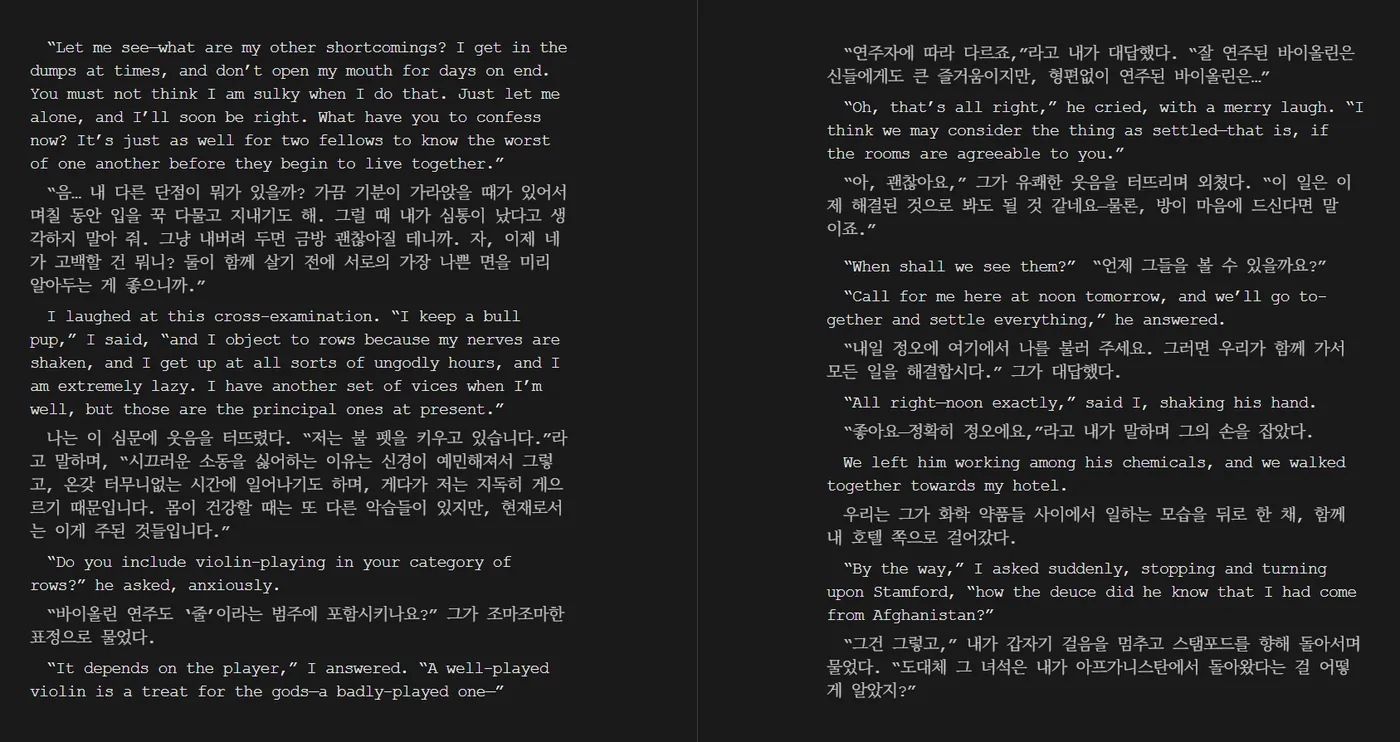
Translation under every paragraph
Read the original and check your understanding paragraph by paragraph — the translation sits right below the text it belongs to.
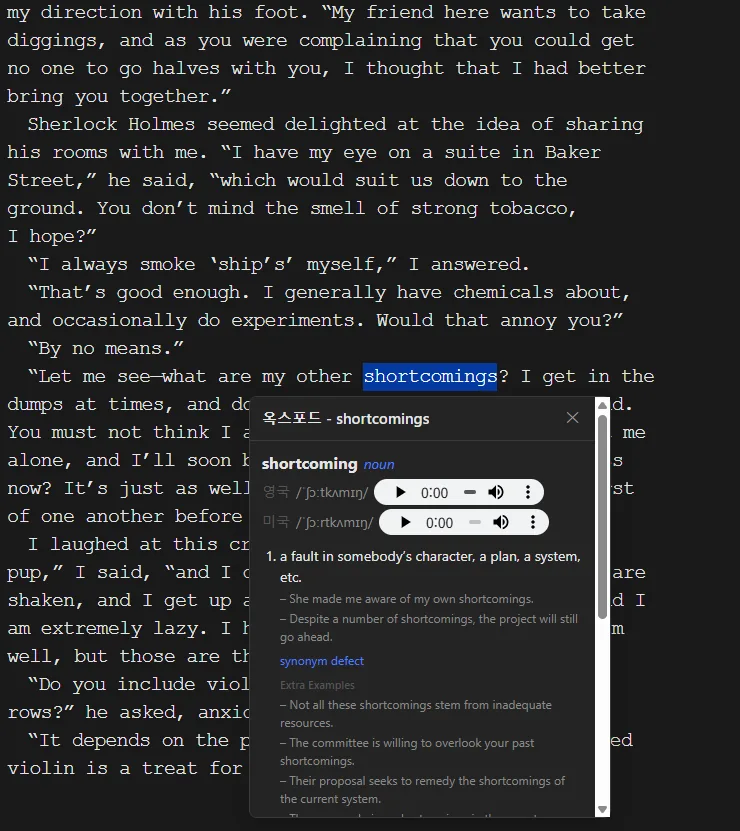
Look words up without leaving the page
Select a word and your dictionary opens in a card on top of the book — definitions, examples and pronunciation audio.
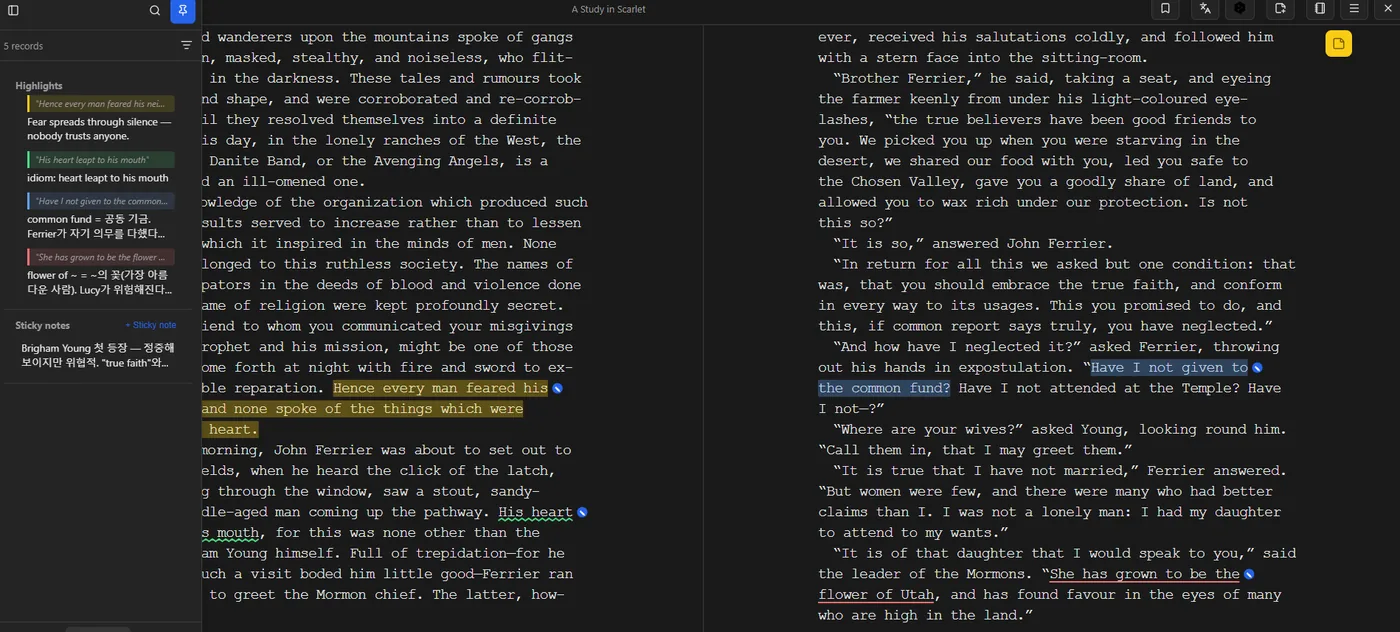
Highlights, notes and sticky notes
Four highlight colours and three styles, a note on any highlight, and sticky notes for the page. Everything is listed in the sidebar.
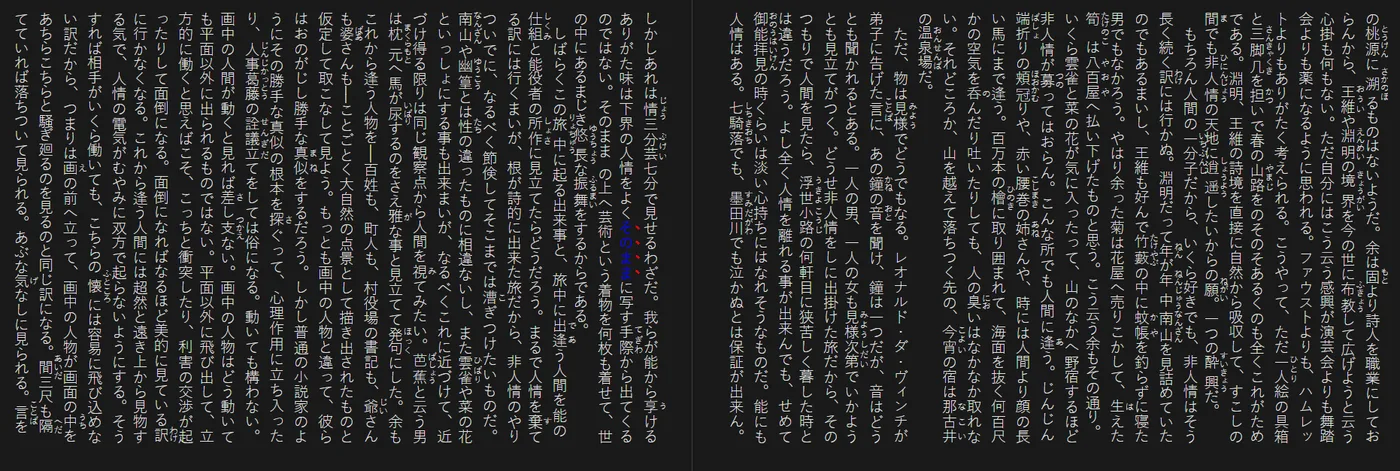
Japanese vertical text
縦書き with furigana and right-to-left page turns, laid out as a real two-page spread.
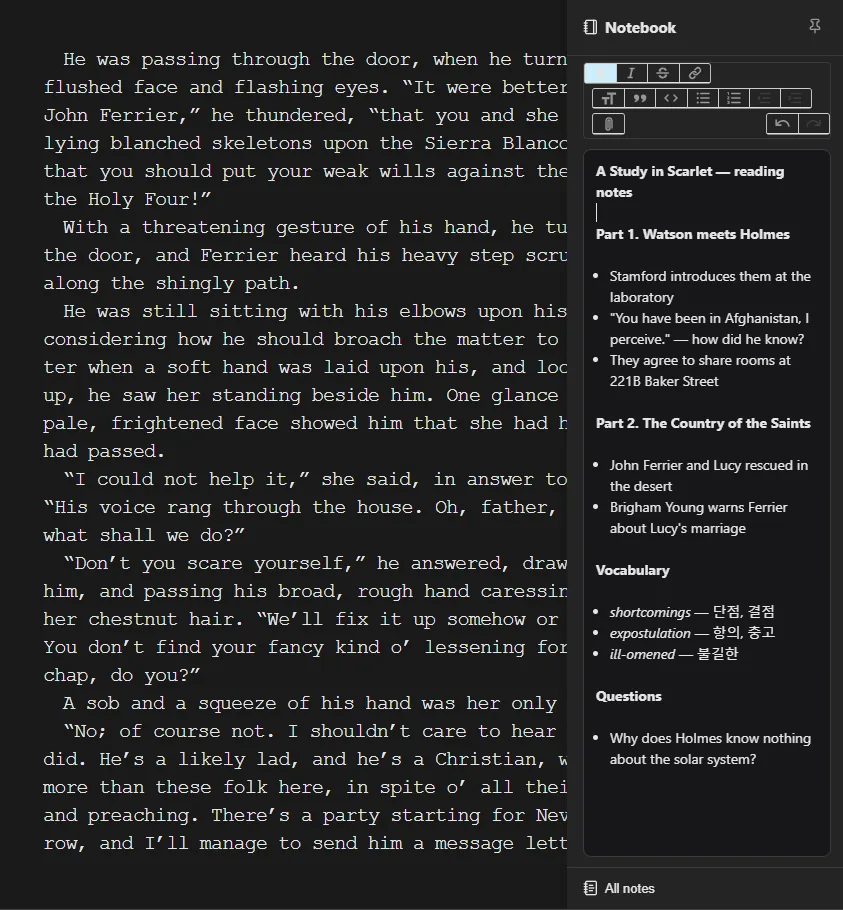
A notebook for every book
Keep chapter summaries, vocabulary and questions next to the book, with simple formatting and image attachments.
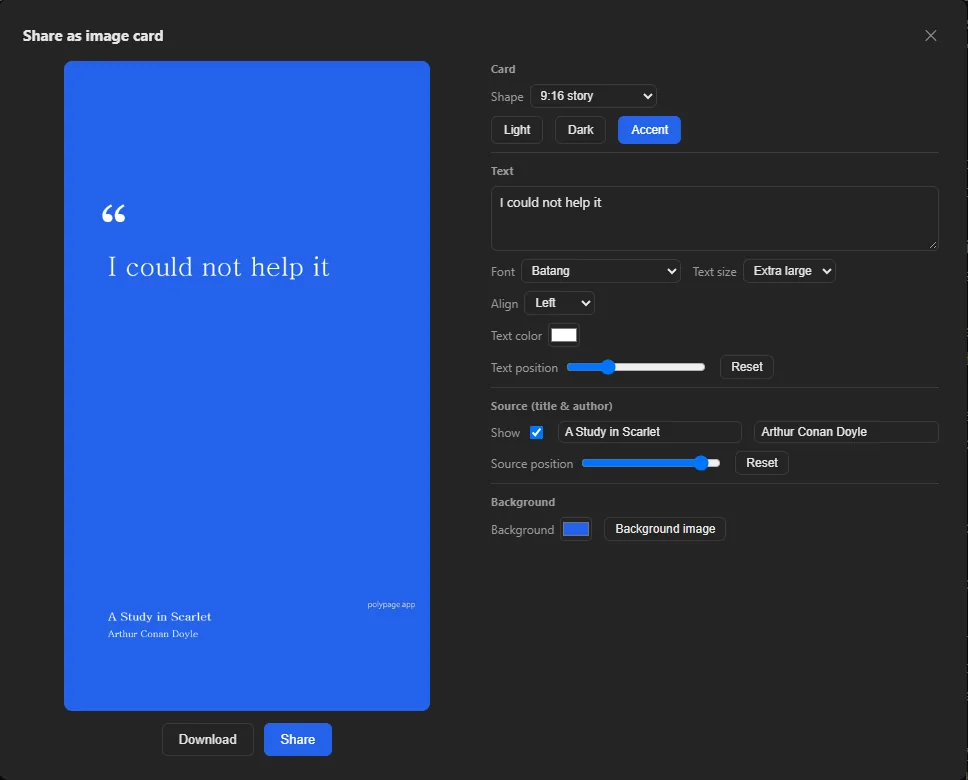
Share a quote as an image
Turn a highlight into a card for social media — choose the shape, font, colours or your own background image.
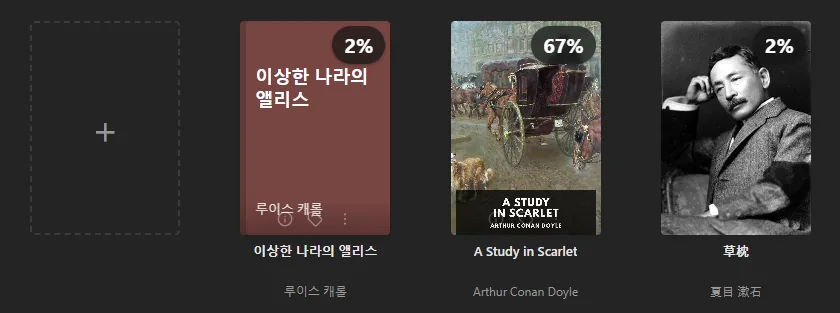
Your own library
EPUB, PDF, MOBI, FB2, comics and more, with reading progress on every cover.
Made for reading in another language
The tools language learners and readers of original editions actually need, in one reader.
Inline translation
Show a translation under each paragraph as you turn pages — or translate just the sentence you select. Works with Google Translate, Microsoft Translator or DeepL.
Dictionary cards
Look up a word in the dictionaries you trust, shown in a small card over the page. Add any web dictionary yourself, plus one-click Wikipedia lookup.
Japanese vertical text
Proper 縦書き with right-to-left page turns, two-page spreads and furigana — and text-to-speech that skips the ruby readings.
Listen along
Text-to-speech that highlights the sentence being read. Use your browser's voices, or your own Google Cloud or Azure key for natural voices.
Parallel reading
Open two books side by side — an original and its translation — and read them together.
Highlights & notes
Highlights, notes, sticky notes and a notebook per book. Export to Markdown, plain text or JSON whenever you like.
Your library, your files
Polypage is a reader, not a store. Bring the books you own.
Many formats
EPUB, PDF, MOBI / AZW3, FB2, TXT, Word (.docx), Markdown and comics (CBZ, CBR, CB7).
Import from anywhere
Drag in files or whole folders, or import from Google Drive, Dropbox, OneDrive or any WebDAV server.
Switch readers easily
Bring your highlights from Moon+ Reader, ReadEra or Readest.
Sync across devices Beta
Reading position, highlights and notes follow you — book files never leave your device. Sync is an optional extra that will be paid later; it's free during beta. An Android app is planned.
Frequently asked questions
Is Polypage free?
Yes. Every reading feature on this device is free, and will stay free. Only optional extras — sync between devices and watermark-free quote cards — will become paid later; during the beta, sync is free too. There are no ads and no tracking.
Does Polypage sell e-books?
No. Polypage is a reader, not a store. You open the EPUB, PDF, MOBI, FB2, TXT, Word, Markdown or comic files you already own.
Are my book files uploaded anywhere?
No. Book files stay on your device. If you turn on sync, only reading position, highlights and notes are synced.
Which translation services does it use?
Google Translate, Microsoft Translator or DeepL. Translation can be shown under every paragraph or for just the selected sentence.
Can it display Japanese vertical text?
Yes. Vertical (tategaki) books render with right-to-left page turns, two-page spreads and furigana, and text-to-speech skips the ruby readings.
Can I bring highlights from another reader?
Yes. Highlights can be imported from Moon+ Reader, ReadEra and Readest, and exported to Markdown, plain text or JSON.